Demo Video
Bloque Demo 1: Add & Test MCP Servers in Minutes
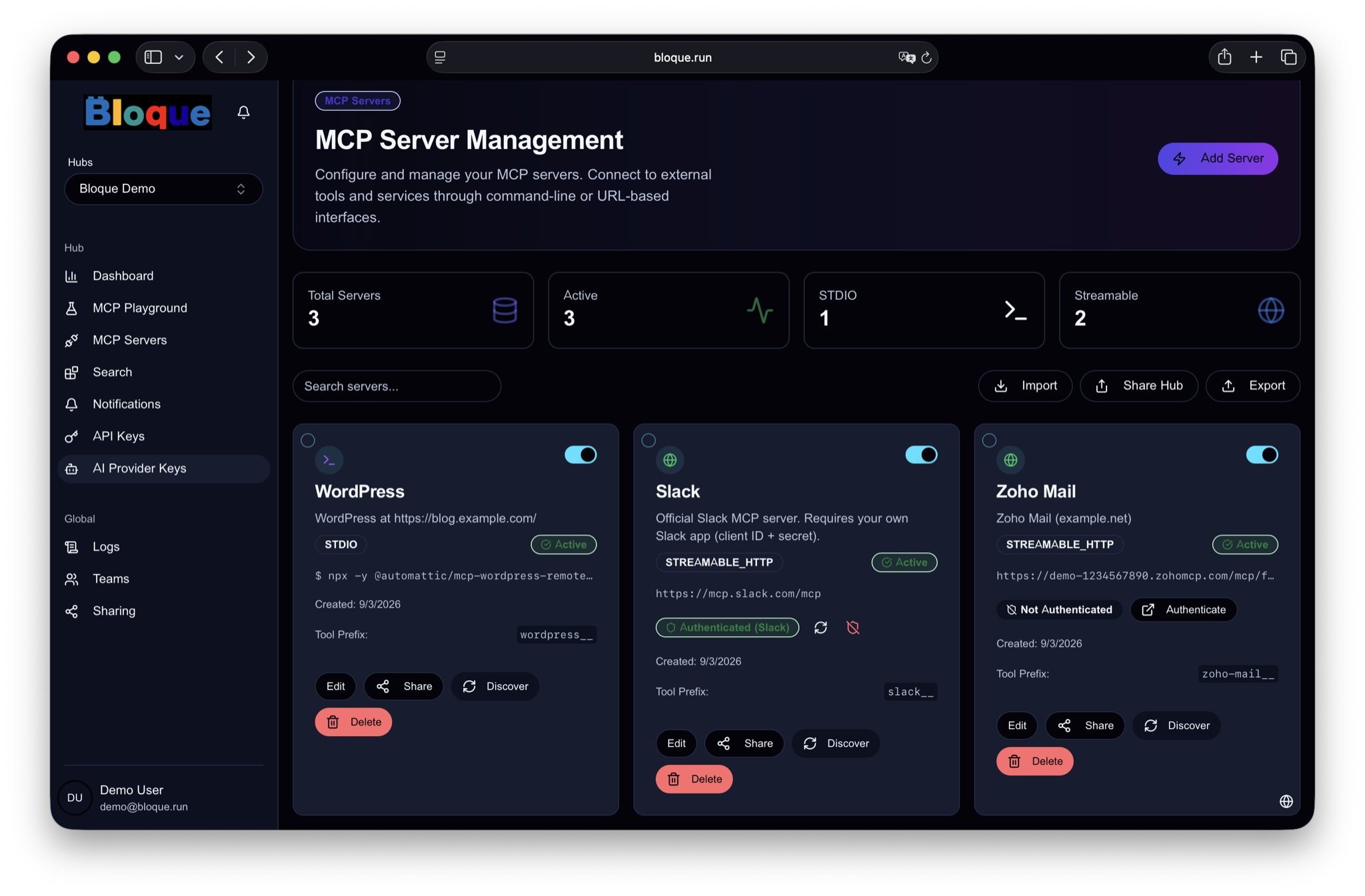
Walk through the full setup flow: add MCP servers to a Hub, enable them, browse tools, and validate everything in the built-in MCP Playground.
Watch on YouTubeBloque brings all your MCP servers into one centralized hub — one endpoint, one API key, accessible across your whole team.

Discover, configure, and operate all your MCP servers from a single platform
Add MCP servers from a curated set of pre-configured options, or bring your own via GitHub URL, JSON config, or server URL.
Manage OAuth tokens, environment variables, and secrets centrally. Each Hub gets its own API key — no credentials exposed to clients.
Monitor usage per server and tool, rotate credentials, and maintain audit-ready logs. Built-in Playground to test MCP servers with any LLM.
One admin sets up servers and authentication once. Team members connect from ChatGPT or Claude Desktop with just a URL and API key — no credentials to handle, no local configuration.
Prevent shadow-IT AI usage. Allowlist only approved MCP servers, centralize OAuth tokens, and know exactly who accessed which external service and when.
Build curated MCP Hubs for each team — "Dev Standard", "Customer Support", "HR". New members inherit the full setup instantly by using the shared Hub's API key.
These two short demos show both sides of Bloque: getting MCP servers running quickly, then using them to automate a real business workflow.
Note: the second video was recorded when Bloque was called MHaaS — the product is the same.
Demo Video
Walk through the full setup flow: add MCP servers to a Hub, enable them, browse tools, and validate everything in the built-in MCP Playground.
Watch on YouTubeDemo Video
See how the configured MCP tools can automate a real workflow in Claude Code: pull new registrants, compare CSVs, send personalized emails, and save the process as a reusable script.
Watch on YouTubeTwo components work together to deliver a seamless MCP experience
The management console where you register users, create Hubs, add MCP servers, and issue API keys.
The runtime layer that aggregates all Hub servers behind one endpoint. Your AI client only needs to know about the Proxy.
Bloque is now in public beta. Get started today and bring all your MCP servers into one centralized hub.
Get Started with Bloque